
WPS办公软件 icon WPS办公软件

仅从官方渠道下载 WPS办公软件

Kingsoft’s installer is small (the website download is often just a few megabytes and then pulls the rest). The Microsoft Store 页面 9NSGM705MQWC is the UWP/store package. There is also an EXE-flavored Store listing. 挑选 one source and stick to it so updates stay consistent.

独立网站。 本 WPS办公软件 网站与金山无隶属关系。 Installers on this page point to wps.com、Microsoft Store、Google Play 和 应用商店。我们从不托管 WPS 设置文件。

Windows 安装,金山软件记录它的方式

  1. Confirm you meet system requirements (最低 2 GB RAM,建议 4 GB 磁盘,双核 CPU)。
  2. 下载 from wps.com —不是随机的“WPS 2026 完整版”博客。
  3. Open wps_office_inst.exe.
  4. 选择语言(向导右上角),阅读许可证和隐私政策,然后立即安装。
  5. 首次启动时,拒绝您不需要的额外捆绑包(PDF 默认、浏览器帮助程序、启动项)。这是最“为什么它偷了我的 PDF?”的时刻。故事开始了。

Microsoft Store 与网站 EXE

The UWP 列表 is convenient on locked-down PCs and updates quietly. The website EXE is the full desktop client people mean when they say “WPS for Windows.” Kingsoft also publishes an EXE-oriented Store product (XP8M1ZJCZ99QJW). If features seem “missing” after a Store install, you probably wanted the website build.

Read the full comparison: Store vs website installer.

如何告诉您拥有真正的应用程序

  • 发布者应为 Kingsoft / WPS Software Pte. Ltd.,不是来自下载门户的未知“setup.exe”。
  • 应用程序图标是带有白色丝带 W 的红色圆角正方形——与我们在标题中使用的标记相同,取自官方商店列表。
  • 公开列出的 Play 商店开发者电子邮件:[email protected];商店页面上的新加坡办事处地址。
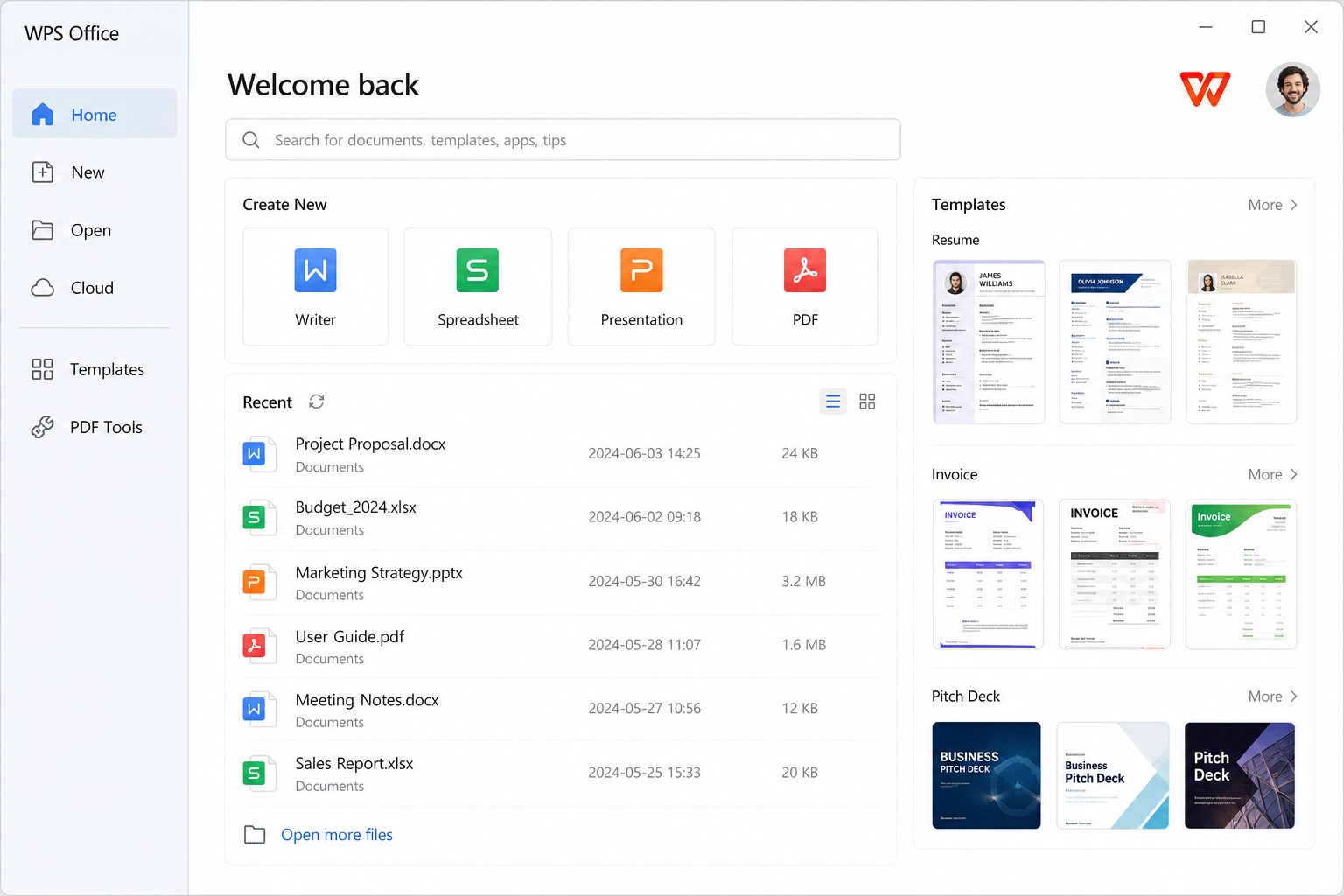
WPS办公软件 start screen after a successful install

请勿下载

  • 注册机、“Proforever”补丁或修改后的 APK。
  • 第一步需要禁用 Windows Defender 的安装程序。
  • 捆绑不相关工具栏的镜像。

如果您只需要一个 PDF 查看器,Windows 已有 Edge。 WPS 适合真正会编辑的人。

安装后 10 分钟强化列表

最遗憾的不是“套房不好”。它是“它现在拥有每个 PDF,并在我保存时弹出追加销售。”这样做一次。

  1. 文件关联。 Settings → 组件管理→文件格式连接。 Clear the third-party compatibility box if Word/Edge should stay in charge. Then confirm in Windows Settings → 应用 → Default apps for .pdf .docx .xlsx .pptx. 指南: restore defaults.
  2. 启动。 如果 WPS 将其自身添加到 Windows 启动中并且您没有询问,请选择任务管理器 → 启动应用程序 → 禁用。在编辑时启动它,而不是在每次启动时启动。
  3. 默认保存格式。 将书写器/电子表格/演示文稿设置为 DOCX/XLSX/PPTX。本机 .wps/.et/.dps 在仅限 WPS 的商店中表现良好,但在其他地方则表现不佳。
  4. 自动恢复文件夹。 将其指向您实际使用的同一磁盘。测试:创建一个虚拟文件,终止进程,重新打开,确认恢复。
  5. 一个安装工家庭。 Do not stack Microsoft Store UWP 9NSGM705MQWC on top of the wps.com EXE. Two icons will fight over the same extensions. Store vs EXE.
  6. 帐户。 跳过云登录,直到需要同步为止。本地文件不需要金山身份进行基本编辑。

可以完全离线安装吗?

小型网络安装程序通常会获取其余的有效负载。如果您想象一个没有互联网的实验室,请在金山软件发布时使用完整/离线包。不要从随机论坛获取“离线 ISO”——这是典型的恶意软件掉落。

工作电脑和管理员权限

应用商店列表指出需要提升权限。如果组策略阻止 Store 或 EXE 安装,则这是 IT 问题,而不是 RAM 问题。托管安装后,通过策略锁定文件关联,以便 WPS 无法在更新时重新捕获 PDF。

这是哪个“2026”版本?

金山发布滚动版本。维基百科最后将 Windows 12.2.0.13431(2024 年 1 月)作为过时的稳定说明引用,而商店列表不断变化。安装后请务必阅读“关于”屏幕上的版本。下载博客上的营销年份通常是 SEO,而不是像“Office 2021”这样的 SKU 名称。

信任,无需戏剧

首选来自 wps.com 的 HTTPS 或商店的签名包。发行商:金山软件 / WPS Software Pte.有限公司播放列表联系人:[email protected]。如果安装程序要求您在第一步中禁用 Windows Defender,请将其关闭。 ESET 记录了 WPS 生态系统中威胁行为者滥用更新通道的历史记录——这是继续使用供应商下载和操作系统补丁而不是“重新打包”档案的另一个原因。

实验室/教室图片(20张)

选择一个安装程序系列。创建官方包的本地缓存;不要在 08:55 向 wps.com 发送 20 台机器。静默安装后,运行后脚本:禁用文件格式连接、将保存默认设置为 DOCX/XLSX/PPTX、禁用启动、固定快捷方式(如果课程需要)。使用 Windows 策略锁定默认值(如果有)。如果免费 SKU 在投影仪上出现问题,请告诉教师以 PDF 形式进行演示。将 LibreOffice 或 Word 作为已知良好的开场白保留在讲台 PC 上。

虚拟机

WPS 适合在虚拟机中进行测试。剪贴板和共享文件夹仍然需要您的虚拟机工具。不要对桌面上已经有破解注册机的虚拟机进行快照,然后想知道为什么快照是恶意软件博物馆。

更新

让官方更新程序或商店更新程序工作。仅当新版本破坏了实验室映像时才暂停更新 - 然后固定您缓存的已知良好的安装程序。论坛“WPS 11.2.0.1234.rar”文件不是补丁策略。

在 365 推出之前彻底删除

Uninstall WPS, reboot, reset .pdf .docx .xlsx .pptx, delete leftover Kingsoft folders in AppData if you do not need cloud caches, confirm a DOCX opens in Word. Uninstall notes.

出版商和健全性检查(不是剧院)

On Windows, the downloaded file’s Properties → Digital Signatures (if present) should match Kingsoft/WPS, not “unknown publisher.” Store listings show the publisher in plain language. If the file is named WPS_Office_2026_专业版_Full_设置.exe from a blog with 40 “download here” buttons, you are not on wps.com. 文件 size that is 800 MB when Kingsoft’s stub is a few MB can still be real (offline bundle) or a bundle of junk — prefer the official page’s own button.

安装后第一个小时

  1. Create hello.docx, type a sentence, F12 to 桌面, open it in Word if you have Word. 往返.
  2. Create hello.xlsx with =1+1 in A1.
  3. Open a PDF you care about. If WPS opened it and you did not want that, fix defaults now,不是下周。
  4. 如果任务管理器显示 WPS 并且您没有询问,请关闭启动。
  5. Set default save to DOCX/XLSX/PPTX. How.

企业

包装、许可证、数据驻留和禁止列表胜过任何功能表。如果安全人员拒绝,此下载页面不会说服他们同意。如果他们同意,仍然只是官方内容,仍然是书面的默认应用程序政策。